
Adding club admins: the five roles and what each one is for
A club is never one person. The treasurer wants to get at the fees, somebody else arranges the hall days, and there has to be a point of contact for when something unpleasant comes up. Yet a club in Koach almost always starts with a single account: the one belonging to whoever brought the app in. As long as that stays the case, the entire club administration hangs on one inbox and one phone.
Why one key is not enough
As long as one person can reach the club section, that person is a bottleneck. He is on holiday in the week the hall schedule has to be finished. He changes job after the annual general meeting and takes his login with him. He is the only one who knows which teams have already been entered. None of that is a disaster on the day itself, but it stacks up: everything the club does digitally runs past one diary.
That is exactly the difference between an app used by one coach and an app that belongs to the whole club. In the club section of Koach you solve it with a tab that gets very little attention and does a great deal: Admins. That is where you add fellow board members, and where you record straight away in what capacity they are there.
Where the Admins tab sits
Open Profile and tap Club dashboard. A bar appears along the top with the parts of your club — overview, members, team selection, club duties, match day, venues and so on. Only once there are more than four parts does that bar start scrolling sideways. Admins, with a small key in front of it, comes last.
What you see there is a list of everyone who can currently reach the club section: for each person the name, and under it the role and the email address. Usually you are already in it yourself as Club manager — that line appears by itself the moment you put the first team under the club name on a Club subscription. If you see no club dashboard at all, there is no club yet: at least one team has to have the club name filled in, and how that works is in linking a team to the right club.
Adding someone: an address and a role
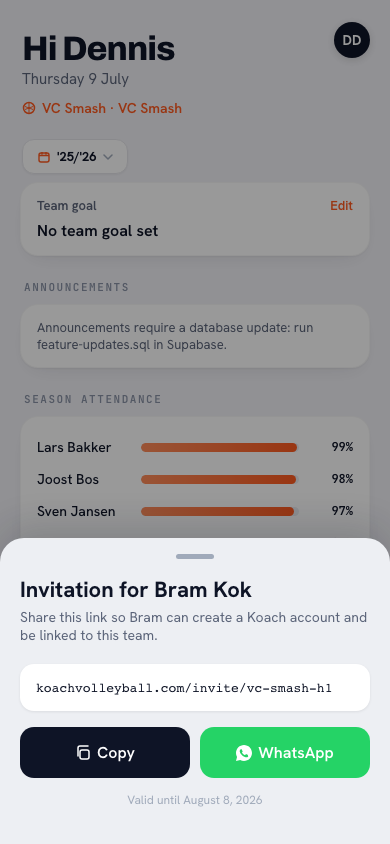
Underneath the list is a small block with three things in it. An input field reading Email of an existing account, below it a line marked Role with a picker that starts on Club manager, and at the bottom the button Add manager. That is all there is to it: fill in the address, choose the role, add. The person appears in the list above straight away and can open the club dashboard the next time he signs in.
There is one condition: the address has to belong to an existing Koach account, and that account does not need a Club subscription of its own — which is explained in running your volleyball club. If Koach does not recognise the address you get the message No account with this email address immediately, and nothing changes. In that case, ask which address the person used when he signed up; capitals make no difference, but a private address instead of a club address certainly does.
The five roles and what each one is for
The picker holds five roles. They were not thought up as levels of importance, but as descriptions of what somebody does in the club.
- Club manager — the person who keeps the club running inside the app. This is the role for whoever enters the teams, updates the hall schedule and answers questions from fellow coaches. Often the secretary or the membership administrator, sometimes a technical coordinator.
- Treasurer — the person who deals with money: fees, arrears, who still owes what. A club usually has exactly one, and that person rarely has any use for the rest of the club section.
- Board member — the broad role for anyone who looks in and decides on behalf of the board: chair, secretary, junior section officer, competition secretary. Whoever takes decisions about teams and seasons belongs here.
- Confidential adviser — the point of contact for unwanted behaviour, the role many clubs call their welfare or safeguarding officer: the person a member or a parent can go to with something they do not want to take to their own coach. This role works confidentially and one to one, and has no real need for the club administration — but does need to be easy to find.
- Technical manager — the person responsible for the content of the coaching: the technical committee, a junior section coordinator, sometimes the club's head coach. This role exists for continuity. If a coach stops halfway through the season, somebody has to be able to see what has been taught, what was left undone and what is known about a player, or his successor starts from nothing. He reads along in the team log and writes nowhere; the contact details of members and the club export are not his.
The names follow the language each user has the app in. A board member using Koach in German or Polish sees the same role in his own language, so you never have to explain what you set.
What the role does today — and what it does not
The role is more than a label: it decides what somebody gets to see. A section his role has no right to does not appear as a tab in the strip at all — and anyone trying to reach it around the button gets the data no more easily, because every request is checked against the role again on the server. This is how it is divided:
- All five roles — the member list with the names and the teams they play in.
- Club manager, treasurer, board member and confidential adviser — the club announcements. The technical manager is not among them: his role is about the content of the coaching, not about the messages that go out to the club.
- Club manager, treasurer and board member — the contact details behind those members: email addresses and the linked parents. Not the confidential adviser and not the technical manager: the first works confidentially and one to one, the second has all he needs in names and teams, and these are the contact details of minors.
- Club manager and board member — the venues, the match days, the organisation, the club duties, the team selection and the club email.
- Club manager, board member and technical manager — the team log: reading along in the sessions, the session reports and the notes about players.
- Club manager and board member again — the club export: all your club's data in one file, outside the app. The technical manager does not get it; he reads along inside the app, where the conversation belongs.
- Club manager and treasurer — the contributions.
- The club manager alone — the Admins tab itself, and linking the sender domain for the club email. That domain affects the email reputation of the whole club, and one wrong setting at your domain name breaks it.
Two of those choices are worth explaining. The team log — reading along in the sessions, the session reports and the notes a coach makes about a player — deliberately sits apart from the team selection, however alike the two look: the second is about who ends up in which team, the first about the content of the work, and those are a coach's notes on often underage players. And the team selection for next season is a draft for as long as you are working on it, in which nothing really happens; only making it final carries it through, and in doing so it locks in the assessments from the season that is ending. That button too stays with the Club manager and the Board member: it involves ratings of minors, and that is not something the next person to click into the screen should be able to do by accident.
That makes this list worth more than it looks. A club has to be able to write down who holds which member data — which is precisely the question behind handling members' personal data. A list of names with the role that goes with each is a better answer to that than five people who "got access somewhere along the way".
Who does what with the individual parts is in the articles about those parts. For messages to the whole club that is sending club announcements; for the rota of duties around match days it is planning club duties across the whole club. Those articles also say who is allowed to create them. Look it up there rather than expecting it here.
Switching someone's role, and taking someone off again
You change a role in the same place, and it is less obvious than you would think: you enter his email address again, choose the new role and tap add. The existing line is updated. No second line appears, and the person does not lose access for a moment.
Watch one nuance. Enter the same address with the role that is already there and you still get the message Already an admin, and nothing happens. That is not a fault — there is simply nothing to change. Only a different role actually switches him over. Anyone who does not know that removes the person first and adds him again; that works too, but it is roundabout, and it can go wrong if there is a moment when nobody else is left.
Removing is done with the cross to the right of the name. The app asks you to confirm, with the name or the address in the question, so that in a list of eight you do not hit the wrong line. What disappears is only access to the club section: that person's account stays exactly as it was, and if he is also a coach he keeps his own teams.
Two things the app will not allow, both because you cannot undo them yourself:
- The club owner — the person under whose account the club was created — cannot be removed by another admin. Otherwise a board member added later could shut the founder out of his own club.
- The last key cannot be taken out. Before every removal the app checks whether anyone with club rights will be left afterwards: another admin from the list, or the person under whose account the club was created. If nobody would be left, the app refuses; otherwise the club would permanently lock itself out of its own dashboard. So add a successor first, and only then take the leaver off.
Stepping back yourself is allowed, even without somebody else doing it for you. A confidential adviser or treasurer who no longer holds that job can take himself off the list without having to ask anyone first. The two blocks above simply apply to him as well.
Who you put in it, and when you look at the list again
Three rules of thumb make this list useful instead of messy. First: always at least two. One person with access is not a division of labour but a risk, and the recovery takes exactly as long as that person is unreachable.
Second: think in jobs, not in people. "The treasurer" still exists when the treasurer changes; "Karen, who always happens to do it" does not. So set the role that goes with the job, even if today there is only one person doing everything — then at least in two years' time it says what somebody was supposed to be doing.
Third: run down the list once a year, shortly after the annual general meeting or whenever the board changes. That is the only moment you know for certain something has changed, and it takes two minutes. Whoever left comes off; whoever joined goes on, with the role that matches his new job. A club administration in which former board members sit for years is not dangerous, but it is sloppy — and sloppy is exactly what a club does not want to be towards its own members. How these roles relate to the rest of the club side is shown on Koach for volleyball clubs.
Key point: you switch someone's role by adding the same email address again with a different role. Enter the same role a second time and all you get is the message Already an admin; nothing changes.
Frequently asked questions
Does somebody get an email when I add them as an admin?
No. No invitation and no notification goes out; the line simply appears in the list. The person only notices when he opens the app again and there is suddenly a club dashboard there. So tell him yourself, otherwise he will never find that button.
Does an extra admin cost money?
The role itself does not: the club's price does not change because of it, and the club dashboard stays open to them as long as the club pays, also without a team of their own. For a team, the same rules apply as for any coach: if they coach a team that sits on the club account, Koach is free for them as long as the club pays, and as a player or parent it always is. A team that is only their own needs its own subscription after the 14-day trial. A club admin is not a team coach either: he does not count towards the number of coaches you may link to a team.
Can someone I add go on to add other people themselves?
No, not unless you give them the Club manager role. The Admins tab belongs to that one role: only a club manager can add someone, change a role or remove another admin. A treasurer, board member, confidential adviser or technical manager does not even see that tab, and an attempt to reach it around the button is refused on the server. One thing everyone may do: take themselves off the list.
What happens if I take myself off the list?
You lose the club dashboard as soon as the app reloads, but your account and your own teams stay yours. If you are the person under whose account the club was created, you keep club access anyway: that hangs on the club itself, not on your line in the list. For everyone else, another admin has to put you back on.


Try it yourself in Koach
Less admin, more coaching.
Get started with KoachOr read first what the volleyball coaching app does.